New: Splash 1.0

Colour palettes from harmonies, images and presets, ready to use.

Spin a colour wheel, drop in a photo or start from a preset. Splash builds the palette, lets you lock, sort and tune it live, then turns it into materials, a paint palette or a file. In Blender and in the browser, kept in sync.

Blender 4.2 or newer on Windows, macOS and Linux. The web version runs in any modern browser.

LiveTry Splashdrag the wheel · Splash's own engine
Compound from #1e90ff · 6×6
Teal Blue#487199
The same seed gives the same palette in the add-on. Open the web version
8colour harmonies
37preset palettes
6ways to read a photo
15ways to arrange
The colour wheel

Eight harmonies, one drag.

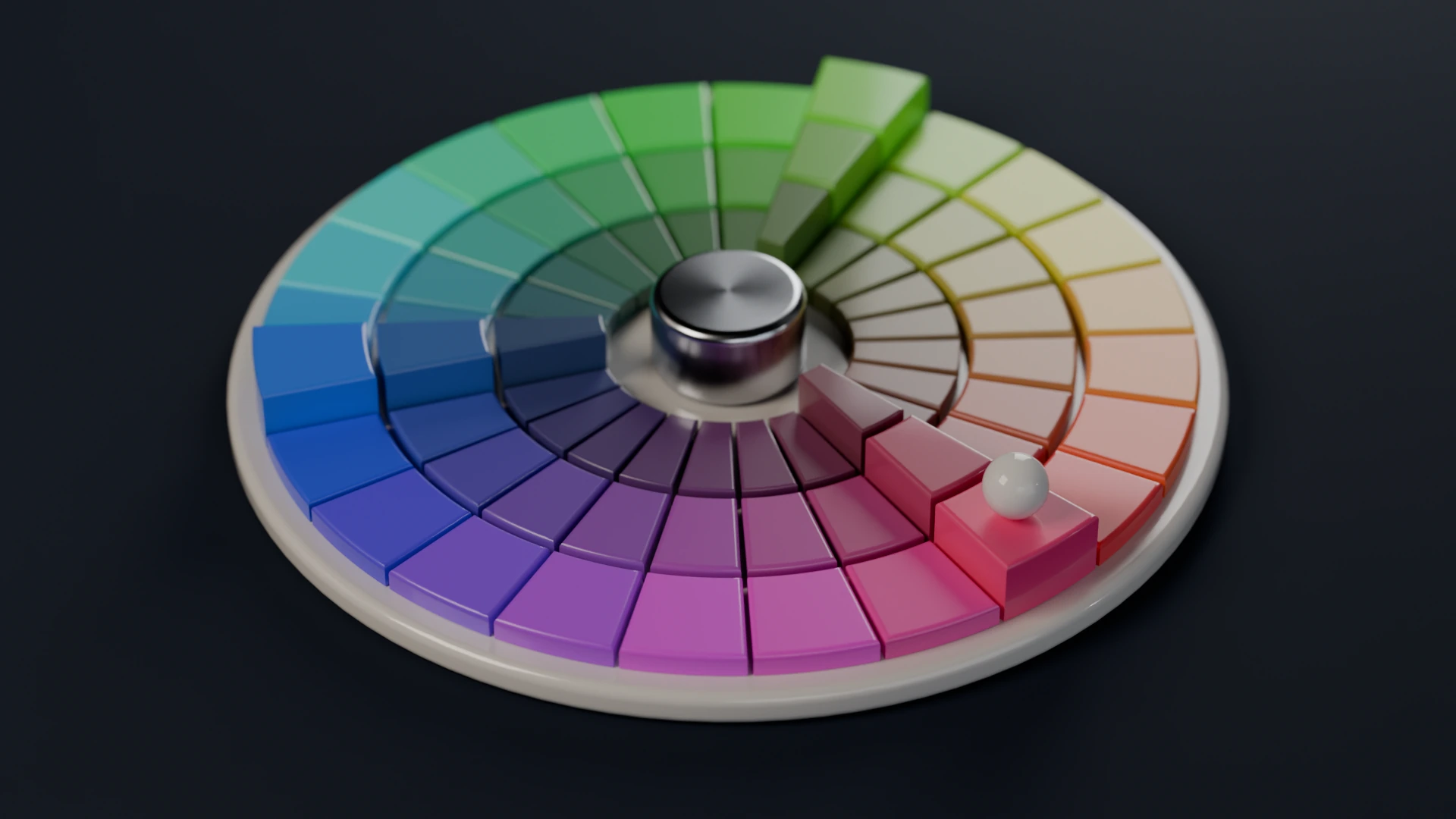
Move the seed round the wheel and the whole palette follows: complementary, split complementary, triadic, tetradic, square, analogous, monochromatic and compound. Try it at the top of this page.

A colour wheel disc with a triadic harmony picked out by raised segments
A triadic harmony picked out on the colour wheel. Made with Splash, rendered in Cycles.
Capabilities

From a first colour to a finished palette.

One window in Blender, the same tool in the browser. Cards to start, live controls to shape, one click to use.

Create

1Start from a colour, a photo or a preset.

Every start is a picture, not a word: a colour wheel with eight harmonies, 37 hand-picked presets, any image read into colours, or a roll of the dice.

  • Drag the seed on the colour wheel and watch the harmony follow.
  • Read a photo six ways: K-means, median cut, dominant, diverse, vibrant or muted.
  • Grids from 2×2 to 16×16, and the same seed always gives the same palette.
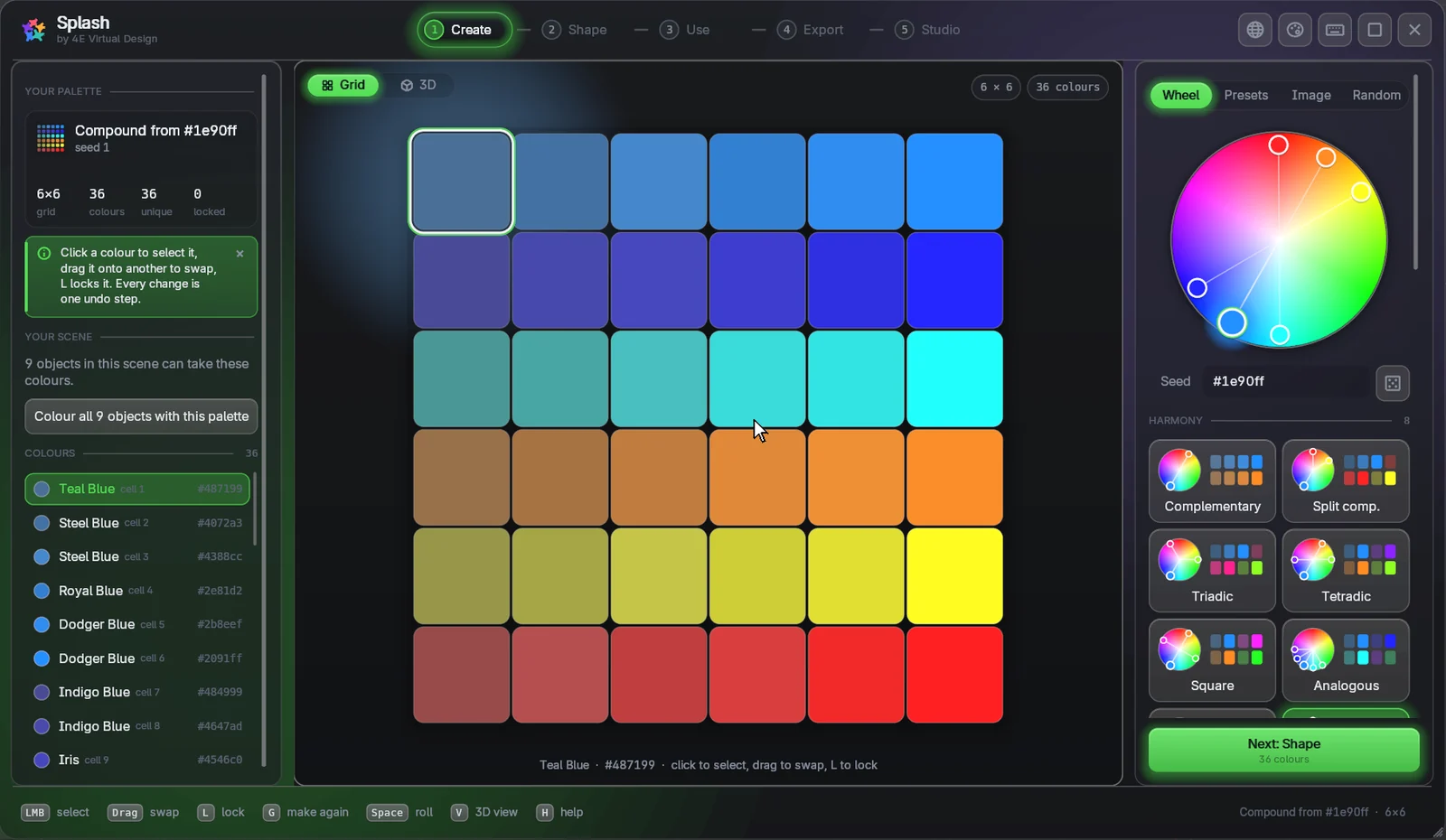
The Create step of the Splash window: the colour wheel, harmony cards and a 6×6 palette
The Splash window: a colour wheel and harmony cards.
Shape

2Lock what you love, change the rest.

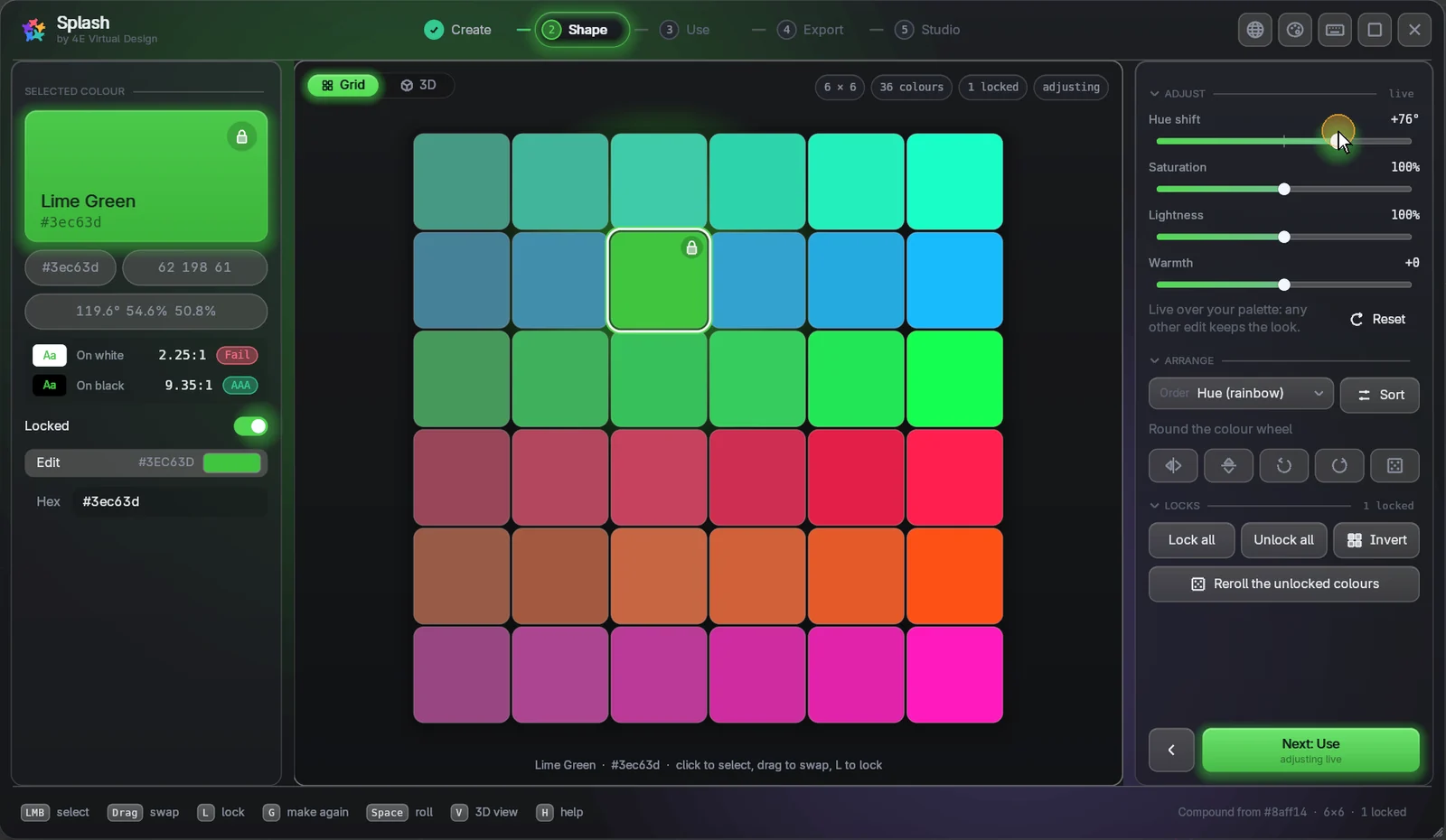
Lock the colours you want to keep and reroll the others. Tune hue, saturation, lightness and warmth live, and arrange the grid fifteen ways.

  • Locks survive generating, sorting and tuning.
  • Live sliders: drag, hold Shift for fine steps, double-click to reset.
  • Each colour shows its name, HEX, RGB, HSL and contrast rating.
The Shape step: one colour locked while the hue shift changes the rest
Locks, live adjustments and fifteen arrangements.
Use

3Straight into your scene, or out to a file.

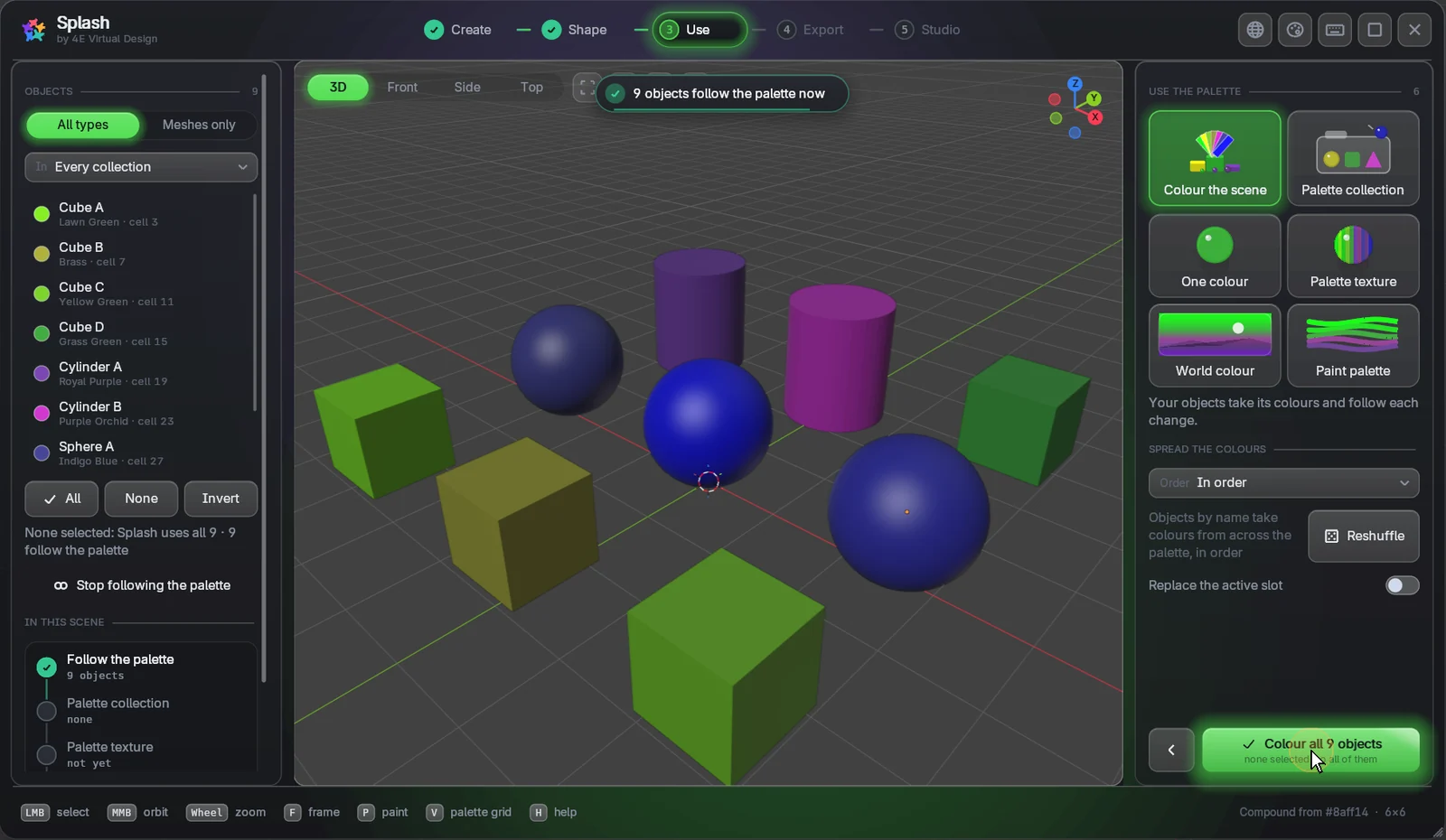
Colour the scene, give objects one colour, make a palette texture, a World colour or a texture-paint palette, each in one click. Export images and code for everything else.

  • Colour the scene: your objects take the palette and follow every change, without touching their other materials.
  • Images: PNG, WebP, EXR, TIFF, BMP, TGA and SVG with exact colours, or a small JPEG.
  • Code: HEX, RGB, HSL, CSS, SCSS, Tailwind, JSON, Python, GIMP and Adobe ASE swatches.
The Use step: nine objects coloured by the palette, with the object list and the Use cards
Colour the scene: nine objects take the palette and follow each change.
Web version

4The same palette in Blender and the browser.

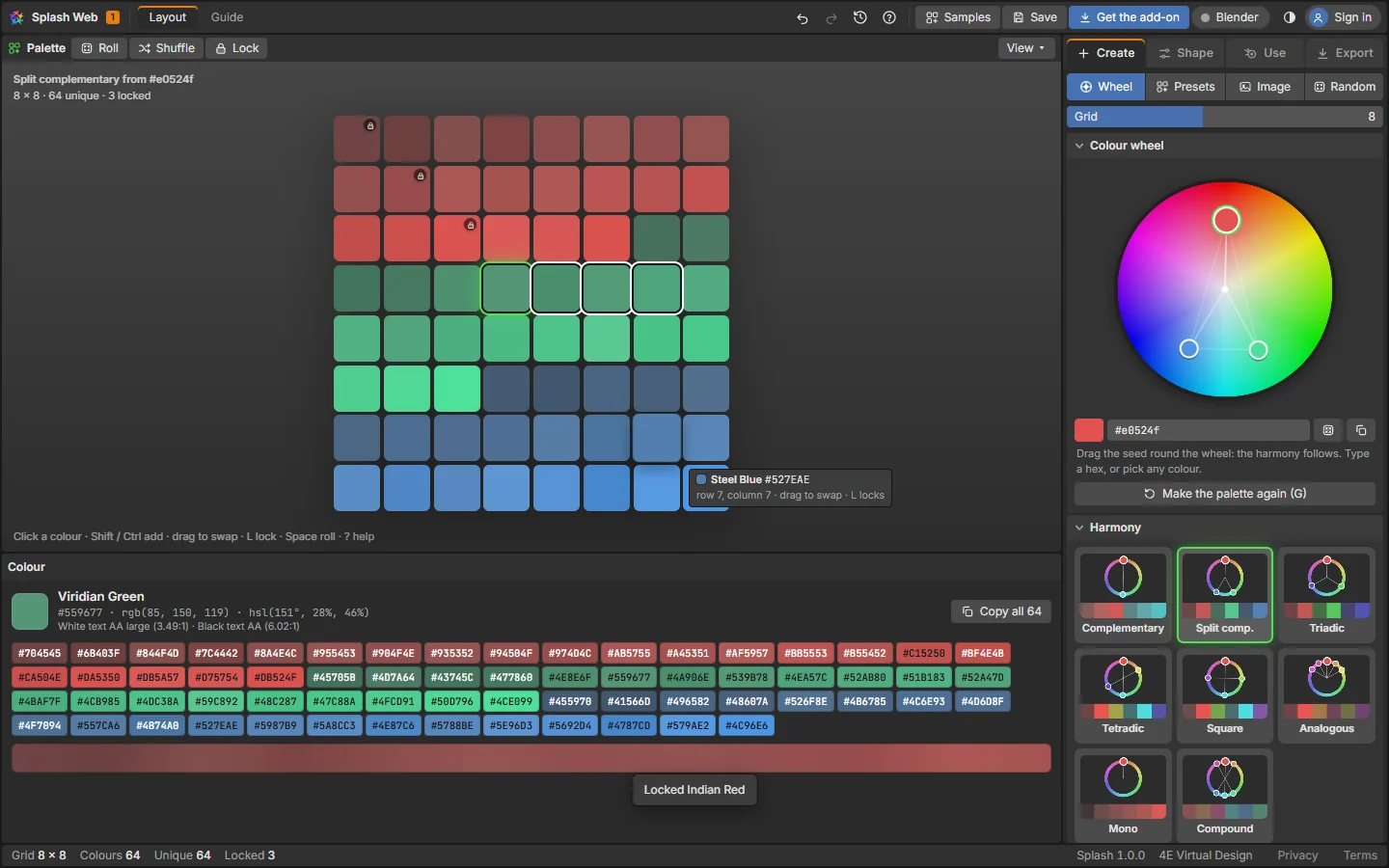
Open the web version next to Blender and connect them. Change a colour in one, and the other follows. The link stays on your computer.

  • Two-way and live: you allow the page once in Blender.
  • Works on its own too: build palettes on any device.
  • The same engine in both, so the colours match exactly.
The live link between Splash in Blender and the web version
One palette in Blender and the browser, over the live link.
How-to

See it in use.

Short clips with captions. Each one plays when you scroll to it.

Blender0:53
Splash in Blender A palette made, shaped and on your objects in under a minute.
Blender0:46
Colour your scene Your objects take the palette and follow every change.
Web0:54
In your browser The same palettes in the web studio, nothing to install.
How it works

Install, pick, use.

Install

Drag the .zip onto Blender and press OK.

Install options

Pick

Open Splash from the 4E tab in the sidebar (N), then spin the wheel or pick a preset.

First steps

Use

Colour the scene, paint, or export an image or code in one click.

See renders
Get started

Ready in a minute.

For Blender

The Splash add-on v1.0.0

For Blender 4.2 or newer on Windows, macOS and Linux.

  1. Download the add-on.
  2. Drag the .zip onto Blender's window and press OK.
  3. Open the 4E tab in the 3D view's sidebar (N) and press Open Splash.
Learn

The user guide

Short steps with pictures, from install to your first render.

  1. Your first palette in a minute.
  2. Every tab of the window and the web version.
  3. Shortcuts and troubleshooting.
Questions

Good to know.

Which Blender versions does it support?

Blender 4.2 or newer (tested on 5.1), on Windows, macOS and Linux.

Is the demo at the top the real thing?

Yes. It runs Splash's own colour engine, the one inside the add-on, so the same seed colour and harmony give the same palette in Blender.

Do I need Blender to use the web version?

No. The web version works on its own in any modern browser. Connect it to Blender when you want the palette in your scene.

Does the link send my work online?

No. Blender and the browser talk directly on your own computer. Nothing is uploaded.

Will my colours match outside Blender?

Yes. Splash keeps every colour as exact sRGB, so the HEX you copy, the image you export and the material's base colour all agree. (JPEG is close, not exact.)

Can I open palettes from Ultimate Palette Pro?

Yes. Splash is its successor and picks up palettes saved in older .blend files.

Can I use what I make commercially?

Yes. What you create is yours.

How do updates work?

Install the new .zip the same way. Your saved palettes stay. The changelog lists what changed.

How do I get help?

Email 4edesigner@gmail.com with your Blender version and what you did.